Colour can look noticeably different on a monitor and on printed packaging because screens and printing presses reproduce colour in different ways. RGB uses emitted light for digital displays, while CMYK uses process colours to reproduce artwork on a physical substrate.
Understanding that difference helps prevent unexpected colour shifts when artwork moves from screen to print. This guide explains how RGB and CMYK work, when each should be used, and why proofs, substrates and colour references still matter even when a file has been prepared correctly.
What Is the Difference Between RGB and CMYK?
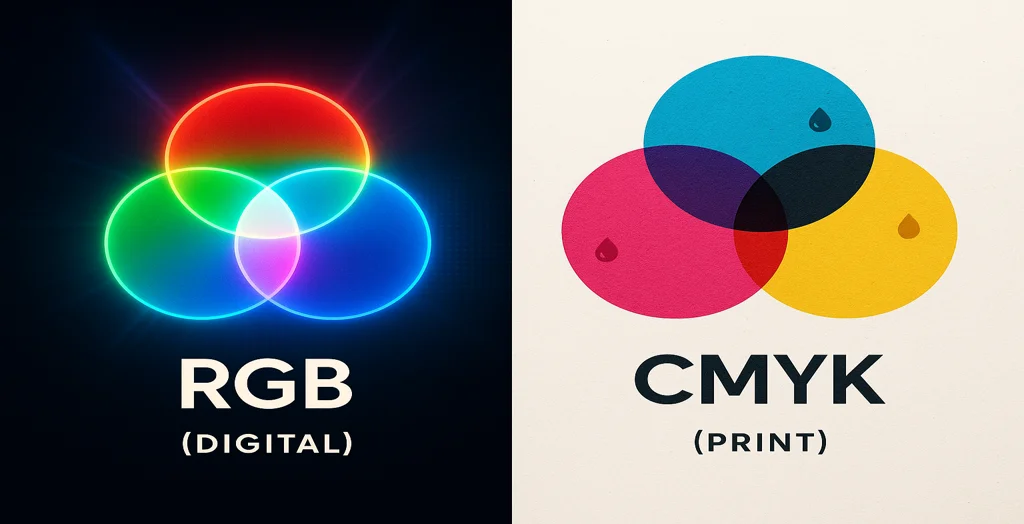
RGB stands for Red, Green and Blue and is an additive colour model used for screens and other digital displays. CMYK stands for Cyan, Magenta, Yellow and Key (Black) and is the process-colour system commonly used for printed packaging.
For Healey Packaging process-print artwork, files should be prepared in CMYK, while any Pantone or spot colours should be identified separately. Final printed colour can still vary with the press, ink or toner, substrate, coating and finish, so a screen preview should not be treated as an exact representation of the finished pack.
Understanding Colour Models — The Basics
What Is RGB?
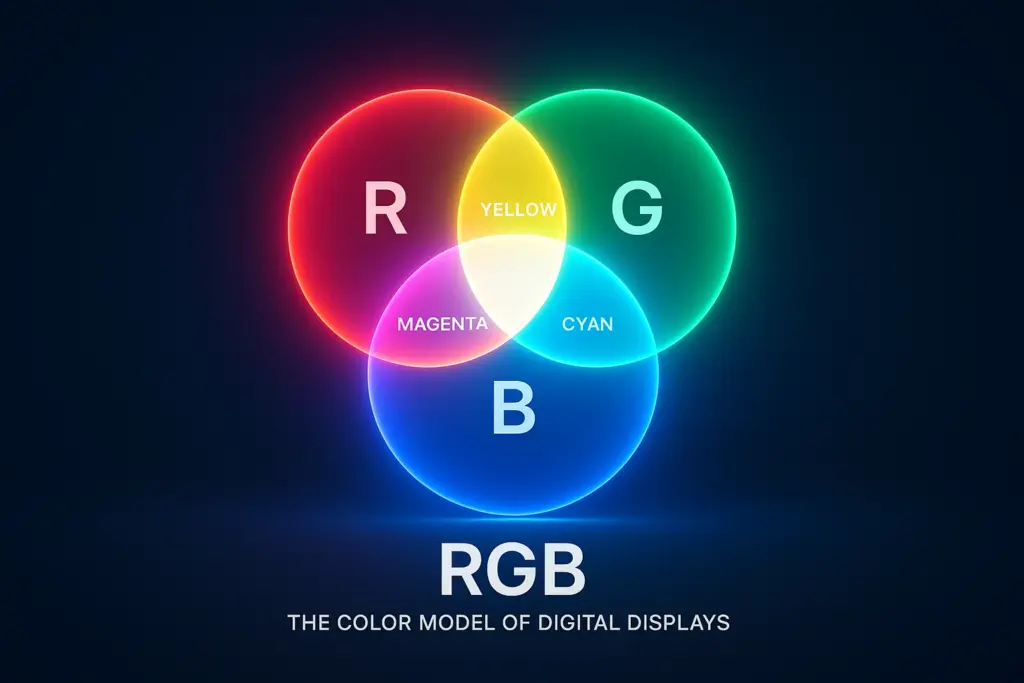
RGB stands for Red, Green, and Blue — the colours of light used in digital displays like your phone, monitor, or tablet.
- It’s an additive colour model, meaning red, green, and blue light are combined in different ways to create colours. Combine all three at full intensity, and you get white.
- It’s perfect for digital designs: websites, online ads, social media graphics, and mockups.
Use RGB when you’re designing for screens — not for printing.
What Is CMYK?
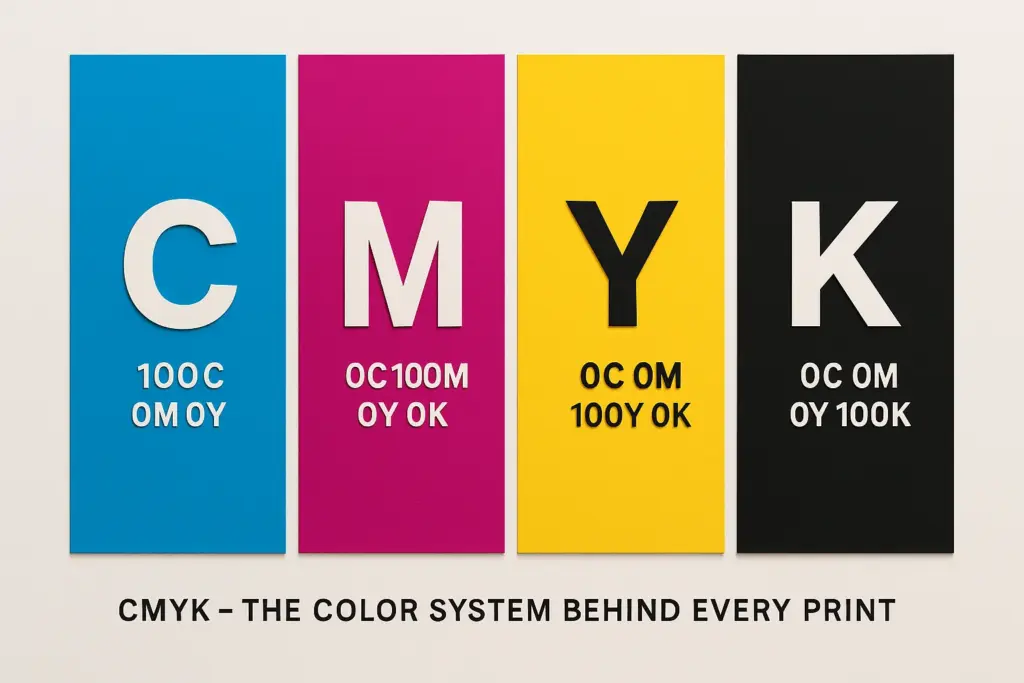
CMYK stands for Cyan, Magenta, Yellow, and Key (Black). These are the four ink colours used in most commercial printing presses.
- It’s a subtractive model — inks absorb light rather than emit it.
- Combining all four gives rich blacks and deep colours (not white like RGB).
- CMYK is the gold standard for anything that ends up on paper or cardboard, including custom packaging, labels, and printed marketing materials.
RGB vs CMYK at a Glance
- RGB uses red, green and blue light and is designed primarily for digital screens.
- CMYK uses cyan, magenta, yellow and black to reproduce process-colour artwork in print.
- Some colours visible in RGB cannot be reproduced exactly within a particular CMYK printing gamut.
- For Healey Packaging process-print jobs, prepare artwork in CMYK and identify any Pantone or spot colours separately.
- CMYK conversion does not guarantee an exact screen-to-print match because board colour, surface, printing method and finishes can change the final appearance.
- Keep an RGB version for digital use and a properly prepared print version for packaging production.
RGB vs CMYK — The Key Differences
| Feature | RGB | CMYK |
|---|---|---|
| Colour Model | Additive, light-based | Subtractive, process-print based |
| Components | Red, Green and Blue | Cyan, Magenta, Yellow and Key (Black) |
| Typical Medium | Screens and digital displays | Printed packaging and other physical print applications |
| Colour Range | Can display colours outside a particular CMYK print gamut | Reproduction depends on the press, profile, inks and substrate |
| White | Created by combining light | Usually comes from the unprinted substrate unless white ink is specified |
| Packaging Use | Digital mock-ups, websites and online product graphics | Process-colour artwork prepared for physical packaging print |
Why CMYK Is the Standard for Printing?
Most commercial printers (including ours at Healey Packaging) use the CMYK colour system because it aligns with how inks work on real materials.
CMYK allows for:
- Better colour control across thousands of boxes
- Accurate spot colour matching with Pantone systems
- Consistency between your design and your delivered packaging
Even though RGB is great for on-screen previews, it simply doesn’t translate to print. That’s why we always request CMYK-ready artwork from clients when preparing custom printed boxes.
Related Colour Guide Compare Pantone and CMYK for PackagingHow to Convert RGB to CMYK (and Why You Should)?
Most design tools — Adobe Illustrator, Photoshop, Canva Pro — allow you to switch colour modes easily.
Always preview your design in CMYK before approving production. At Healey Packaging, we offer sample proofs so you can see colours in real life before full production.
Common Printing Issues with RGB Artwork
Using RGB files for print can lead to:
- Mismatched colours on your logo or product images
- Dull or flat tones that lack depth
- Increased reprint costs from unexpected results
- Poor unboxing impressions, especially for luxury or retail-ready packaging
We’ve seen countless brands suffer from these issues — but they’re all avoidable with a simple colour mode check.
RGB vs CMYK in Packaging Design
If you’re designing packaging, your artwork must be CMYK.
Why?
- Commercial printers use CMYK inks, not RGB pixels.
- Print files like AI, PDF, and EPS are CMYK-based.
- Colour consistency across batches depends on correct setup.
Want to guarantee on-brand packaging? Talk to us about using Pantone spot colours or foil stamping for sharp detail and vibrancy.
Artwork Preparation Check Our Print-Ready Packaging Artwork Guidelines Printing Guide Compare Packaging Printing MethodsBonus: When RGB Still Matters
Use RGB for:
- Online product listings
- Website banners or sliders
- Social media ads and digital mockups
Our advice? Keep two versions of your artwork:
- RGB for digital display
- CMYK for print-ready packaging
Tips for Colour-Perfect Printing Every Time
- Always design in CMYK mode if your final output is print
- Calibrate your monitor for accurate previews
- Request digital proofs or sample boxes
- Use 300 DPI resolution and proper dielines
- Communicate file setup needs with your supplier (we recommend PDF/X-1a or AI files)
Final Thoughts — Design for Screen, Print for Real-World Impact
Getting the colour right isn’t just about looking good — it’s about brand trust.
Using the correct colour mode ensures your packaging looks just as stunning in real life as it does in your mockups. At Healey Packaging, we use industry-standard CMYK and Pantone inks to ensure accurate, vibrant, and consistent prints.
Common Questions About RGB and CMYK for Printing
Clear answers about colour modes, print conversion, artwork preparation and colour matching for custom packaging.
What does RGB stand for?
RGB stands for Red, Green and Blue. It is an additive colour model that combines coloured light and is commonly used by monitors, phones, tablets and other digital displays.
What does CMYK stand for?
CMYK stands for Cyan, Magenta, Yellow and Key, with Key referring to black. These process colours are combined in different proportions to reproduce full-colour artwork in many commercial printing workflows.
Why do RGB colours look different when printed?
Screens create colour with emitted light, while printed packaging relies on inks or toners interacting with a physical material. Some RGB colours fall outside the printable gamut of a particular CMYK process, so conversion can change saturation or hue. The substrate, press and finish can also affect the final appearance.
How should I convert RGB artwork to CMYK?
Professional design applications such as Adobe Illustrator, Photoshop and InDesign provide colour-management tools for preparing CMYK artwork. If your design platform offers limited colour controls, export the highest-quality print file available and have the artwork reviewed before production rather than relying on an automatic conversion alone.
Which is better for packaging: RGB or CMYK?
RGB is appropriate for digital previews and online graphics. CMYK is the appropriate starting point for process-colour packaging artwork supplied to Healey Packaging. Pantone or other spot colours can also be specified separately when closer control of particular brand colours is required.
Will CMYK exactly match what I see on my monitor?
Not necessarily. Monitor calibration, screen brightness, colour profiles, printing method, ink or toner, board colour and finishing can all influence the result. Digital proofs are useful for checking layout and artwork, but should not automatically be treated as an exact physical colour match.
Should I use Pantone instead of CMYK for my brand colour?
It depends on the artwork and printing process. CMYK works well for full-colour graphics, photography and gradients, while a defined Pantone or spot colour may provide greater control for certain important brand shades. The material and printing method should be considered before deciding.